Equalizer FX. Pro3.4.5
Publisher Description
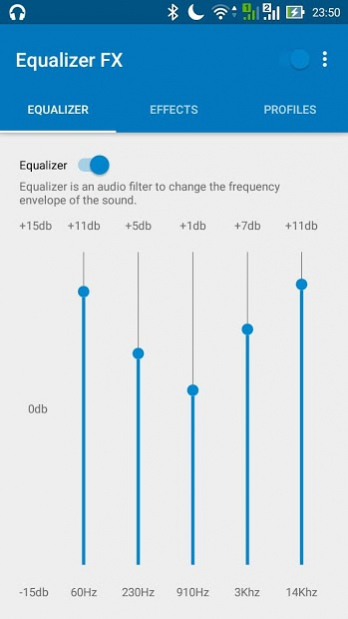
The Equalizer FX allows you to improve sound quality of your android device to get more to enjoy of listening music.
The application Equalizer FX lets you adjust the sound effect levels so you can get the better out of your music.
Application includes:
-
Equalizer
. Audio filter to change the frequency envelope of the sound.
-
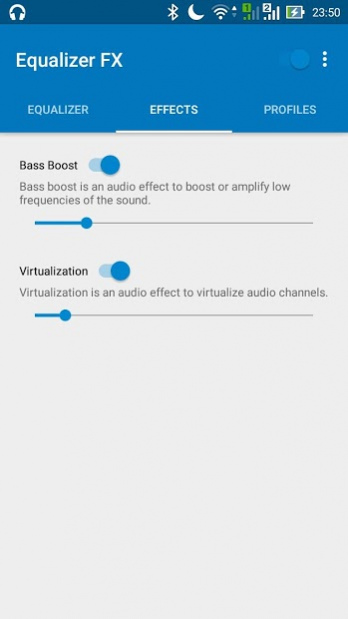
Bass boost
. Audio effect to boost or amplify low frequencies of the sound.
-
Virtualization
. Audio effect to virtualize audio channels. Allow you to enhance stereo effect.
-
Loudness Enhancer
. Loudness Enhancer is an audio effect for increasing music loudness. (Only for Android 4.4 and higher)
-
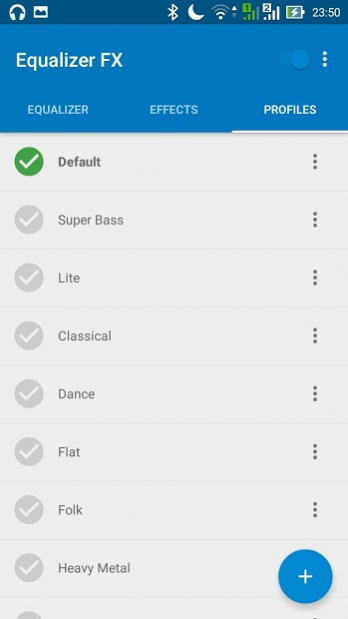
12 presets
. Also you able to create your own presets.
The application works with music players and audio streaming services like Pandora, Spotify, TuneIn Radio, VK, etc.
-
Equalizer Widgets
for your home screen.
-
Automatically on/off
when music player starts/stops playing music.
-
Flexible configuration
.
Note: Equalizer FX is not working with FM radio.
Since Android Oreo you can hide icon via Android settings.
About Equalizer FX. Pro
The company that develops Equalizer FX. Pro is devdnua. The latest version released by its developer is 3.4.5. This app was rated by 2 users of our site and has an average rating of 4.3.
To install Equalizer FX. Pro on your Android device, just click the green Continue To App button above to start the installation process. The app is listed on our website since 2021-03-01 and was downloaded 1,411 times. We have already checked if the download link is safe, however for your own protection we recommend that you scan the downloaded app with your antivirus. Your antivirus may detect the Equalizer FX. Pro as malware as malware if the download link to com.devdnua.equalizer is broken.
How to install Equalizer FX. Pro on your Android device:
- Click on the Continue To App button on our website. This will redirect you to Google Play.
- Once the Equalizer FX. Pro is shown in the Google Play listing of your Android device, you can start its download and installation. Tap on the Install button located below the search bar and to the right of the app icon.
- A pop-up window with the permissions required by Equalizer FX. Pro will be shown. Click on Accept to continue the process.
- Equalizer FX. Pro will be downloaded onto your device, displaying a progress. Once the download completes, the installation will start and you'll get a notification after the installation is finished.
Program Details
System requirements
Download information
Pricing
Version History
version 3.4.5
posted on 2021-03-01
Add balance for Android 9 and higher
Many minor bugfixes
version 3.4.2
posted on 2020-12-09
Add blbance for Android 9 and higher
Many minor bugfixes
version 3.3.2
posted on 2018-06-04
3.3.1:
Bugfixes for Huawei devices
GDPR compliance
3.1.5:
Optimise for Andoid Oreo
3.1.2:
Bugfixes
New translations
3.1.1:
Dark theme
Bugfixes
version 3.1.5
posted on 2017-12-27
3.1.5:
Optimise for Andoid Oreo
3.1.2:
Bugfixes
New translations
3.1.1:
Dark theme
Bugfixes
version 3.0
posted on 2016-04-05
Material design,New features,Many bugfixes.
version 1.3
posted on 2013-03-14
Several fixes and updates
